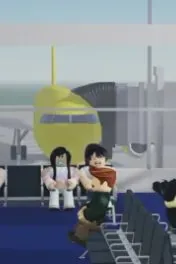
Before the first paid upgrade
Every session starts at Robloxia. Use the departure screens to pick a destination, the free RJ-145, and a simple livery. New players should fly a short route to New York City or Los Angeles. Higher demand on the route planner means more passengers. Create an airline when you want your own meals, seats, and paint; you can also fly without inventing a brand on minute one.
There is a tutorial at Robloxia. Finish it before you chase endgame aircraft. It covers passenger interaction, overhead bins, the safety briefing, and basic food service.
One flight, in order
- Walk to the departure screens and choose the route, aircraft, seats, and livery.
- Let passengers board. Close overhead bins and get people into their seats.
- Play the safety briefing before takeoff. Skipping it lowers the safety rating for the whole flight, including emergencies you handle well.
- After takeoff, press F for serving mode. Z and X are the economy food and drink carts. C and V are the business and first-class meal and drink carts.
- Deal with small cabin events as they appear: crying babies and pacifiers, unruly passengers, trash, escaped pets, and airplane-mode requests.
- After landing, passengers leave and the paycheck uses service, safety, timing, and satisfaction. Spend Skybux on an airport or the next aircraft, not on every cosmetic at once.
Easy and Medium show exclamation marks over passengers who need help. Hard removes those marks. Farming guides say Hard does not change the Skybux payout by itself.
What to ignore at the start
Do not buy the Concorde first. It is the most expensive airframe on the compiled price list and holds about 100 passengers. Do not disable the safety briefing to save time. Do not treat a code as failed until you have checked spaces and the expired table on the codes page.
Next, learn the carts on the service controls page, then the fleet and Skybux route. The Secret Agent job in New York is the first mission worth doing: missions.